
What is the best height to hang a TV in the living room? The best height to hang a TV in your living room is generally with the center of the screen at eye level when you are seated in your primary viewing position. This ensures comfortable and strain-free viewing for everyone.
Determining the optimal tv height for your living room is a crucial step in creating a fantastic home entertainment experience. It’s not just about aesthetics; it’s about comfort, preventing neck strain, and getting the best picture quality from your investment. This guide will delve deep into how to achieve the perfect tv mounting height for your specific setup, covering everything from the basics of viewing height to the nuances of living room tv placement.
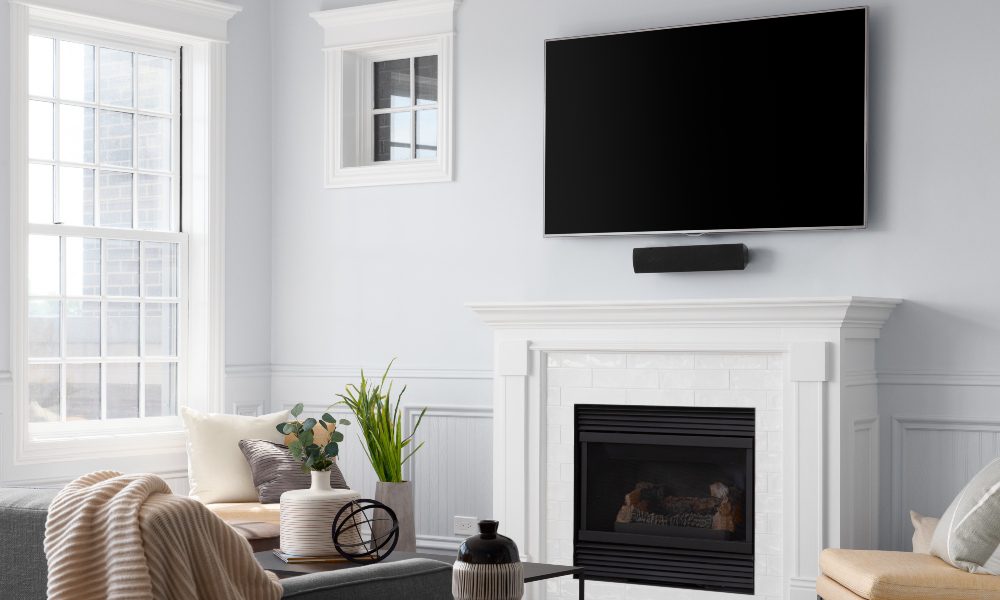
Image Source: www.cepro.com
Why TV Height Matters
You might think hanging a TV is as simple as putting a picture on the wall. However, the height at which you mount your television significantly impacts your viewing comfort and enjoyment. Too high, and you’ll be craning your neck upwards, leading to discomfort and potential pain over time. Too low, and you might find yourself hunching forward, which is equally awkward. The goal is to achieve an eye level tv position that allows your body to relax naturally while you watch.
This principle applies to all types of displays, from large-screen OLEDs to smaller sets. The ideal tv height is a science as much as an art, balancing ergonomics with room design. Getting this right is a cornerstone of a well-executed living room tv setup.
Finding Your Perfect Viewing Height
The core principle for wall mounted tv height is aligning the bottom of the screen (or the center, depending on your preference and the mount type) with your seated eye level. But how do you determine this precisely?
1. Measure Your Seating Position
- Sit Down: Get into your favorite couch or chair. This is where you’ll spend most of your TV-watching time.
- Eye Level: Have someone else help you. While you’re seated comfortably, have them measure the distance from the floor to your eyes. This is your viewing height. A simple way to do this is to have someone place a book or ruler on your head at eye level and then measure that height.
2. Consider Your Furniture
The height of your sofa or chairs plays a significant role. Lower-profile furniture will mean a lower ideal tv height. Conversely, if you have high-backed chairs or a raised seating area, you might need to mount the TV slightly higher. Always measure from your actual seated eye level, not just the top of the furniture.
3. Account for the TV Itself
Once you have your seated eye level measurement, you need to factor in the TV’s dimensions and your mount.
- Center of the Screen: Most recommendations suggest aligning the center of the screen with your eye level. If your tv installation height is based on this, you’ll need to measure the distance from the bottom of your TV to its center.
- Bottom of the Screen: Some people prefer the bottom of the screen to be at eye level. This is often the case with very large TVs, as it can feel more immersive.
Example:
Let’s say your seated eye level is 42 inches from the floor.
- If aiming for the center of the screen: You’ll need to mount the TV so its center is at 42 inches. If your TV is 30 inches tall, the center is 15 inches from the bottom. So, you’d mount the bottom of the TV 42 – 15 = 27 inches from the floor.
- If aiming for the bottom of the screen: You’d mount the bottom of the TV directly at 42 inches from the floor.
This calculation is key to achieving the correct wall mounted tv height.
Factors Influencing TV Placement
While the eye level tv rule is a great starting point, several other factors can influence the best living room tv placement.
1. Room Size and Layout
The dimensions of your living room and the general layout are critical.
- Large Rooms: In larger living rooms, you might be tempted to mount the TV higher to make a visual statement or to accommodate a wider viewing area. However, stick to the eye-level rule for comfort. You might use a tilting mount to help with the viewing angle.
- Small Rooms: In smaller rooms, placing the TV too high can make the room feel cramped. It can also dominate the space visually. Prioritize a comfortable viewing height that doesn’t overwhelm the room.
2. Viewing Distance
The distance you sit from the TV is as important as the height. A good rule of thumb is that the ideal viewing distance is about 1.5 to 2.5 times the diagonal screen size.
- For a 55-inch TV: Optimal viewing distance is roughly 6.5 to 11 feet.
- For a 75-inch TV: Optimal viewing distance is roughly 9 to 15 feet.
If you have a very long living room and sit far away, you might need to adjust the tv installation height slightly upwards to compensate for the longer distance, but always start with the eye-level guideline. A comfortable viewing distance ensures you can see the entire screen without excessive eye movement.
3. Type of Mount
The type of TV mount you use will affect the final tv mounting height.
- Fixed Mounts: These hold the TV flat against the wall. They offer the slimmest profile but have no adjustability. You’ll need to be very precise with your measurements.
- Tilting Mounts: These allow you to tilt the TV up or down. This is excellent if you need to mount the TV slightly higher than eye level, as you can tilt it down to achieve the perfect angle. This is a popular choice for living room tv setup.
- Full-Motion/Articulating Mounts: These offer the most flexibility, allowing you to tilt, swivel, and extend the TV. They are great for rooms where the seating arrangement isn’t fixed or for TVs that need to be viewed from multiple angles.
4. Glare and Light Sources
Consider where the windows and other light sources are in your living room. Mounting the TV directly opposite a window can cause glare, making it difficult to watch.
- Positioning: Try to position the TV so that light sources hit the side of the screen, not directly on it.
- Mounts: A tilting mount can be beneficial here, allowing you to angle the TV away from glare.
5. Aesthetic Considerations
While comfort is paramount, the way the TV looks in your room is also important.
- Fireplace Mounting: Mounting a TV above a fireplace is a popular choice, but it often leads to the TV being too high. If you opt for this, ensure the fireplace hearth is low enough, or use a mount with a significant downward tilt. The ideal tv height can be tricky to achieve here.
- Cabinetry: If your TV is part of a built-in entertainment center, ensure the viewing height is still prioritized.
Calculating Your Specific TV Installation Height
Let’s break down the measurement process step-by-step to ensure accuracy for your tv installation height.
Step 1: Determine Your Seated Eye Level
- Sit in your primary viewing spot.
- Have a helper measure the distance from the floor to your eyes. Let’s call this Eye Level Height (ELH).
Step 2: Measure Your TV
- If you have the TV already, measure the distance from the bottom edge of the TV to the center point of the screen. Let’s call this Center Offset (CO).
- If you don’t have the TV, check its specifications online. Most manufacturers provide the VESA mounting hole dimensions, and you can often infer the center point from these or find it in detailed reviews. Alternatively, you can estimate based on the screen size.
Step 3: Calculate the Mounting Height
-
Method 1 (Center of Screen at Eye Level):
- Mounting Height = ELH – CO
- This measurement is from the floor to the bottom of the TV mount bracket, which will then position the center of the TV at your eye level.
-
Method 2 (Bottom of Screen at Eye Level):
- Mounting Height = ELH
- This measurement is from the floor to the bottom of the TV mount bracket, positioning the very bottom edge of the TV at your eye level.
Important Note: Remember that mount hardware can add a few inches. Always refer to the specific mounting bracket’s instructions for how it attaches to the TV and the wall. Some mounts have adjustable arms that can slightly alter the final wall mounted tv height.
Common Mistakes to Avoid
Even with the best intentions, people often make mistakes when determining tv mounting height.
1. Ignoring Seated Eye Level
The most common error is not measuring from your seated position. Measuring while standing or guessing can lead to an uncomfortable setup. Always start with your relaxed seating posture.
2. Over-reliance on Decorative Height
Some people place the TV at a height that looks good in the room’s overall design but is ergonomically unsound. The TV might look balanced above a fireplace or a credenza, but if it forces you to look up, it’s not the optimal tv height.
3. Not Considering Furniture Changes
If you plan to change your sofa or seating arrangement in the future, your ideal tv installation height might also need to change. Consider if your chosen height will still work with different furniture.
4. Forgetting Glare
Mounting a TV directly opposite a bright window without considering glare can ruin the viewing experience. Always assess your room’s lighting.
5. Assuming All Mounts Are the Same
Different mounts have different offsets and adjustment capabilities. Understand how your specific mount will affect the final tv mounting height.
Practical Tips for Mounting
Once you’ve decided on the height, here are some practical tips for the actual mounting process.
1. Use a Stud Finder
For safety and stability, always mount your TV to wall studs. A stud finder will help you locate these structural elements. If studs aren’t perfectly aligned with your desired tv mounting height, you may need to install a French cleat or a larger mounting board across multiple studs.
2. Mark Your Spot Clearly
Use a level to ensure your mount is perfectly straight. Mark the screw hole locations clearly on the wall before drilling.
3. Pre-Drill Pilot Holes
Drilling pilot holes can make screwing in lag bolts much easier and prevent the wood from splitting.
4. Get a Helper
Especially for larger TVs, mounting is a two-person job. It ensures safety and makes it easier to lift and position the TV accurately.
5. Test the Mount Before Attaching the TV
Once the mount is on the wall, give it a firm tug to ensure it’s securely attached.
Interactive Tools and Resources
Several online tools can help you visualize and calculate the optimal tv height for your specific situation.
- TV Mount Calculator Websites: Many TV mount manufacturers and home improvement websites offer interactive calculators where you input your TV size and desired viewing height, and they provide the recommended mounting point.
- Augmented Reality (AR) Apps: Some smartphone apps use AR to let you virtually place a TV of a certain size on your wall at different heights, giving you a visual representation.
These tools can be excellent aids in achieving the perfect living room tv setup.
Frequently Asked Questions (FAQ)
Here are some common questions people have about tv mounting height:
Q1: What is the standard TV height for a living room?
The standard guideline for optimal tv height is to have the center of the screen at your seated eye level. For most people, this falls between 40 and 42 inches from the floor.
Q2: Can I mount my TV above my fireplace?
Yes, you can mount a TV above a fireplace, but it’s often not ideal for viewing height. Fireplaces are typically built higher than comfortable viewing positions. If you do this, ensure the fireplace hearth is relatively low, or use a tilting mount to bring the screen down to an ergonomic level.
Q3: How do I know if my TV is too high?
If you find yourself tilting your head upwards to watch the TV, or if you experience neck strain after watching for a while, your TV is likely mounted too high. The ideal tv height should feel natural.
Q4: Does the size of the TV affect the mounting height?
Yes, the size of the TV affects the calculation. Larger TVs have a greater distance from their bottom edge to their center. You’ll need to factor this into your tv installation height calculation to ensure the center remains at eye level.
Q5: What if I have different seating heights in my living room?
If you have sofas and chairs of varying heights, try to find a compromise viewing height that works reasonably well for the most frequently used seating. Alternatively, a full-motion mount can offer more flexibility.
Q6: How close should I sit to my TV?
A comfortable viewing distance is typically 1.5 to 2.5 times the diagonal screen size. For example, with a 65-inch TV, you’d want to sit about 8 to 13 feet away. This is also a factor when deciding on the living room tv placement.
Q7: Should the bottom or center of the TV be at eye level?
Most experts recommend the center of the screen at eye level for the most comfortable and immersive experience. However, for very large TVs or specific room setups, some prefer the bottom of the screen at eye level. The key is personal comfort and preventing strain.
Conclusion
Achieving the best height for TV in your living room is a straightforward process when you follow a few key principles. By measuring your seated eye level, considering your furniture and room layout, and accounting for the specific TV and mount you’re using, you can ensure a comfortable and enjoyable viewing experience for years to come. Prioritizing an eye level tv position is the most crucial step in creating a perfect living room tv setup. Take your time, measure carefully, and enjoy your perfectly mounted television!