
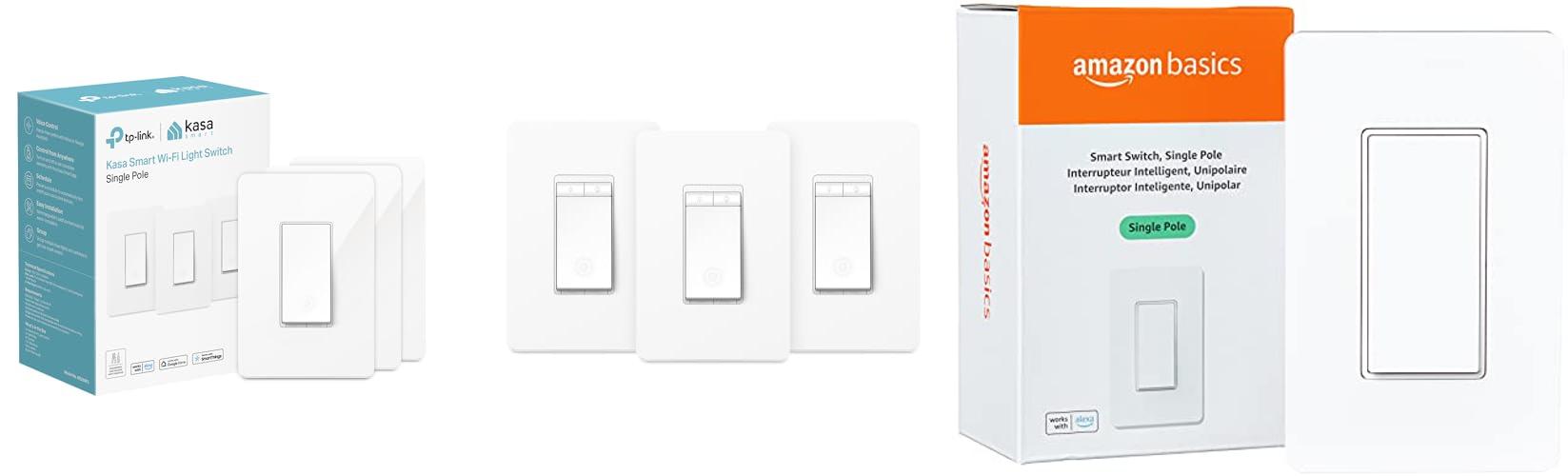
Imagine walking into a dark room, fumbling for the light switch. Now, picture a world where your lights turn on automatically as you enter, or you can control them with just your voice. This isn’t science fiction anymore; it’s the reality of smart switches, and they’re changing how we interact with our homes.
But with so many different types of smart switches out there, it can feel overwhelming to pick the perfect one. You want convenience, maybe save some energy, and make your home feel a little more modern. However, the sheer number of brands, features, and compatibility issues can leave you scratching your head. What works with your existing setup? What’s easy to install? What’s actually worth the money?
This post is here to help you cut through the confusion. We’ll break down what makes a smart switch “smart,” explore the different kinds available, and guide you through the key things to consider. By the end, you’ll feel confident in choosing the smart switch that best fits your needs and your home, turning those everyday annoyances into effortless convenience.
Our Top 5 Smart Switches Recommendations at a Glance
| Image | Product | Rating | Links |
|---|---|---|---|
 |
Kasa Smart Light Switch HS200P3 | 9.1/10 | Check Price |
 |
Kasa Smart Dimmer Switch HS220P3 | 9.5/10 | Check Price |
 |
Amazon Basics Smart Switch | 8.6/10 | Check Price |
 |
TP-Link Accessory Switch TL-HS200 Smart Switch with Energy Monitoring Retail | 8.9/10 | Check Price |
 |
TP-Link Tapo Smart Light Switch | 9.4/10 | Check Price |
Top 5 Smart Switches Detailed Reviews
1. Kasa Smart Light Switch HS200P3
Rating: 9.2/10
Upgrade your home lighting with the Kasa Smart Light Switch HS200P3. This 3-pack of single-pole switches brings convenience and control right to your fingertips. They work seamlessly with your Wi-Fi and smart assistants like Alexa and Google Home. No extra hub is needed, making setup a breeze.
What We Like:
- Easy app-guided installation helps you set up the switches quickly.
- Control your lights from anywhere using the Kasa app on your smartphone.
- Enjoy hands-free voice control with Amazon Alexa and Google Assistant.
- Set schedules for your lights to turn on and off automatically, even when you’re away.
- The ‘away mode’ feature can help make your home look occupied to deter intruders.
- Trusted brand with millions of users and UL certification for safety.
- No need for a separate hub, simplifying your smart home setup.
What Could Be Improved:
- Requires a neutral wire, which might not be present in all older homes.
- Only supports 2.4GHz Wi-Fi, not 5GHz.
- Installation may require an electrician if you’re not comfortable with wiring.
The Kasa Smart Light Switch HS200P3 offers a fantastic way to make your home smarter and more convenient. It’s a reliable and user-friendly option for anyone looking to add smart lighting.
2. Kasa Smart Dimmer Switch HS220P3
Rating: 9.2/10
Upgrade your home lighting with the Kasa Smart Dimmer Switch HS220P3. This 3-pack of smart dimmer switches lets you control your lights from anywhere, anytime. They work with Alexa and Google Home for easy voice control. Plus, you can set schedules to wake up gently or have lights turn on when you get home. Installation is guided by the Kasa app, making it simpler than you might think.
What We Like:
- App-guided installation makes setup a breeze.
- You can dim lights from 0% to 100% using the app or the switch.
- Schedule lights to turn on or off at specific times.
- Control your lights with your voice using Alexa or Google Assistant.
- Manage your lights from your smartphone, even when you’re away from home.
- No extra hub is needed, as it connects directly to your 2.4GHz Wi-Fi.
- The double-click feature for fading lights off is great for bedtime.
What Could Be Improved:
- This switch requires a neutral wire, which not all older homes have.
- If you’re not comfortable with electrical wiring, you’ll need an electrician.
These Kasa Smart Dimmer Switches offer a fantastic way to add convenience and control to your home’s lighting. They are a great choice for smart home enthusiasts.
3. Amazon Basics Smart Switch
Rating: 9.4/10
Looking to make your home a little smarter? The Amazon Basics Smart Switch is a great way to start. This single-pole switch lets you control your lights using your voice, as long as you have an Alexa device. It connects to your home Wi-Fi network, and you won’t need any extra gadgets or hubs to get it working. The white finish also blends in nicely with most wall plates.
What We Like:
- It’s a smart upgrade for your home lighting, making life more convenient.
- Setting it up is easy with helpful videos and a manual.
- You can schedule your lights to turn on and off automatically using Alexa.
- Control your lights with just your voice through Alexa.
- No extra hub is needed, which simplifies the whole process.
What Could Be Improved:
- This switch only works with Alexa, so if you use other smart home systems, it won’t work for you.
- It requires a 2.4 GHz Wi-Fi network, so make sure your Wi-Fi is compatible.
This smart switch is a simple and affordable way to add voice control to your home lighting. It’s a good choice for anyone already invested in the Alexa ecosystem.
4. TP-Link Accessory Switch TL-HS200 Smart Switch with Energy Monitoring Retail
Rating: 9.2/10
Upgrade your home with the TP-Link Accessory Switch TL-HS200 Smart Switch. This smart switch lets you control your lights from anywhere using your phone. You can even use your voice to turn lights on and off. It also helps you save energy by letting you monitor how much power your lights use.
What We Like:
- Easy setup with step-by-step instructions in the Kasa or Tapo app.
- Control your lights from anywhere using your smartphone.
- Works with voice assistants like Amazon Alexa and Google Assistant for hands-free control.
- Set schedules to turn lights on and off automatically, making it look like you’re home.
- Built with safety in mind and trusted by millions of users.
- Helps you monitor your energy usage.
What Could Be Improved:
- Requires neutral wiring, which might need an electrician for installation.
- Only works with 2.4 GHz Wi-Fi networks.
The TP-Link TL-HS200 is a fantastic way to make your home smarter and more convenient. It offers great control and security features for everyday living.
5. TP-Link Tapo Smart Light Switch
Rating: 9.3/10
Transform your home lighting with the TP-Link Tapo Smart Light Switch, a convenient and modern way to control your lights. This 4-pack of single-pole switches connects to your home’s 2.4GHz Wi-Fi, making it easy to manage your lights from anywhere using your smartphone. It works with popular voice assistants like Alexa and Google Home, offering hands-free control.
What We Like:
- Simple setup with step-by-step guidance in the Tapo app.
- Control your lights with your voice using Alexa or Google Assistant.
- Turn lights on or off from your phone, even when you’re not home.
- Set schedules and timers to automate your lighting.
- Away Mode randomly turns lights on and off to make your home look occupied.
- UL certified for safety and backed by a 2-year warranty.
- No extra hub is needed, simplifying installation.
What Could Be Improved:
- Requires a neutral wire, which may not be present in all older homes.
- Installation involves working with electrical wiring, so consulting an electrician is recommended for those unfamiliar with it.
This smart light switch offers a user-friendly and secure way to upgrade your home’s lighting control. It’s a great option for adding convenience and peace of mind to your daily routine.
Upgrade Your Home: The Smart Switch Buying Guide
Tired of fumbling for light switches in the dark? Want to control your lights with your voice or a tap on your phone? Smart switches are the answer! They bring your regular lights into the 21st century, making your home more convenient and even a little bit magical. This guide will help you pick the perfect smart switch for your needs.
1. Key Features to Look For
When you’re shopping for smart switches, keep these important features in mind:
- Connectivity: How does the switch connect?
- Voice Control: Can you use your voice to turn lights on and off?
- App Control: Does it have a smartphone app for control?
- Scheduling: Can you set lights to turn on or off at certain times?
- Dimming: Can you adjust the brightness of your lights?
- Scene Creation: Can you set up “scenes” like “Movie Night” that dim lights and turn on others?
- Energy Monitoring: Does it track how much electricity your lights use?
- Works with Other Smart Devices: Does it connect with smart speakers (like Alexa or Google Assistant) or other smart home gadgets?
2. Important Materials
Most smart switches are made from durable plastics. Look for switches with:
- High-Quality Plastic: This ensures the switch lasts a long time and doesn’t crack easily.
- Flame-Retardant Materials: Safety is key! These materials help prevent fires.
- Sleek Finishes: Many switches come in different colors and finishes (like white, black, or stainless steel) to match your home’s decor.
3. Factors That Improve or Reduce Quality
Several things make a smart switch great or not so great:
What Makes a Smart Switch Great:
- Easy Installation: A good switch is simple to wire up. Many don’t even need a neutral wire, which is a huge plus for older homes.
- Reliable Connection: The switch should connect to your Wi-Fi or smart home hub without dropping.
- Responsive App: The app should be quick to respond when you tap buttons.
- Regular Updates: The company should provide software updates to fix bugs and add new features.
- Good Customer Support: If you have problems, it’s helpful to have a company that can help you.
What Can Reduce Quality:
- Difficult Installation: If it’s too hard to install, it’s frustrating.
- Unreliable Wi-Fi: If the switch often loses connection, it defeats the purpose.
- Slow or Buggy App: A bad app experience makes the switch less enjoyable to use.
- No Updates: If the company stops updating the software, the switch might become outdated or insecure.
- Poor Build Quality: A switch that feels cheap or flimsy might break easily.
4. User Experience and Use Cases
Smart switches make everyday life easier and open up fun possibilities:
Everyday Convenience:
- Voice Control: “Hey Google, turn on the living room lights.” It’s perfect when your hands are full.
- Remote Control: Forgot to turn off a light? You can do it from your phone, even if you’re not home.
- Scheduling: Set lights to turn on at dusk to make it look like someone’s home, or wake up to a softly lit room.
- Dimming: Create the perfect mood for watching TV or reading.
Smart Home Integration:
- Automations: Link your smart switch to other devices. For example, when your smart lock unlocks, your entryway light turns on.
- “Away” Mode: Set a scene that turns off all your lights when you leave the house.
- Security: Schedule lights to turn on and off randomly when you’re on vacation to deter burglars.
Choosing the right smart switch can truly transform your home. Consider what features are most important to you, and you’ll be enjoying a smarter, more convenient home in no time!
Smart Switch FAQs
Q: What is a smart switch?
A: A smart switch is a light switch that you can control with your smartphone, voice commands, or set to turn on and off automatically.
Q: Do I need a special light bulb for a smart switch?
A: Usually, no. Smart switches work with most regular light bulbs. Some dimmer smart switches might have recommendations, but most standard ones are fine.
Q: Do smart switches need Wi-Fi?
A: Most smart switches connect to your home’s Wi-Fi. Some might connect through a separate hub, but Wi-Fi is the most common.
Q: Are smart switches hard to install?
A: Installation is usually like a regular light switch. You’ll need to turn off the power at your breaker box. Some models don’t need a neutral wire, making them easier for older homes.
Q: Can I use smart switches with Alexa or Google Assistant?
A: Yes! Most smart switches are designed to work with popular voice assistants like Amazon Alexa and Google Assistant.
Q: What’s the difference between a smart switch and a smart bulb?
A: A smart switch controls all the lights connected to that switch. A smart bulb only controls the light it’s screwed into, and you can change its color or brightness. Smart switches are often better for controlling multiple lights at once.
Q: Can I control my lights when I’m not home?
A: Absolutely! As long as your smart switch is connected to your Wi-Fi and your phone has internet access, you can control your lights from anywhere.
Q: Do smart switches save energy?
A: They can help! You can schedule lights to turn off when not needed and use dimming features to reduce electricity use. Some even have energy monitoring to show you how much power your lights use.
Q: What is a “scene” in a smart home?
A: A scene is a preset setting for multiple smart devices. For example, a “Good Morning” scene might turn on your bedroom light softly, start your coffee maker, and play news. A “Movie Night” scene might dim the lights and turn on the TV.
Q: Are smart switches safe?
A: Yes, when installed correctly and made with quality materials, smart switches are safe. Always turn off power at the breaker before installing and follow the manufacturer’s instructions.
In conclusion, every product has unique features and benefits. We hope this review helps you decide if it meets your needs. An informed choice ensures the best experience.
If you have any questions or feedback, please share them in the comments. Your input helps everyone. Thank you for reading.